Showing posts with label Run Command. Show all posts

Friday, 30 August 2024

What is Machine Learning and How Does It Impact Our Lives?

 What is Machine Learning and How Does It Impact Our Lives?


Machine Learning (ML) is a subset of artificial intelligence (AI) that enables computers to learn from data and make decisions or predictions based on that data without being explicitly programmed. It uses algorithms to analyze data, learn from it, and make informed decisions based on what it has learned.

How Does Machine Learning Work?

  1. Data Collection: Machine learning begins with data. The more data available, the better the model can learn. This data can be anything from numbers to text, images, or even clicks on a website.

  2. Data Preparation: Data is cleaned and formatted to make it usable for machine learning algorithms. This may involve removing duplicates, handling missing values, and converting data into a format suitable for analysis.

  3. Model Training: The core of machine learning is training a model. This involves feeding the prepared data into a machine learning algorithm, which processes the data and adjusts its parameters to learn the patterns and relationships within it.

  4. Model Evaluation: After training, the model is evaluated using a separate set of data to determine its accuracy and effectiveness. If the model's performance is satisfactory, it can be deployed for real-world use. If not, further adjustments and retraining are required.

  5. Prediction and Decision Making: Once trained, the model can make predictions or decisions based on new data. For example, a model trained to recognize cats in photos can identify cats in new, unseen images.

Impact of Machine Learning on Our Lives

  • Healthcare: Machine learning is used for diagnosing diseases, personalizing treatment plans, and predicting patient outcomes.
  • Finance: It helps in fraud detection, credit scoring, and algorithmic trading.
  • Retail: Personalizes shopping experiences through recommendations and targeted marketing.
  • Transportation: Powers self-driving cars and optimizes routes for delivery services.
  • Entertainment: Used by streaming services to recommend movies, music, and shows based on user preferences.

Machine learning is transforming industries by enabling more intelligent, data-driven decisions, improving efficiency, and creating new opportunities for innovation.

Monday, 26 August 2024

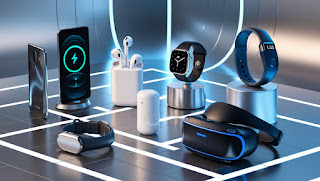
Here are some of the best tech gadgets that are popular and useful across different categories


 Here are some of the best tech gadgets that are popular and useful across different categories 

1. Smartphones

  • Apple iPhone 14 Pro/Pro Max: Known for its powerful performance, high-quality camera system, and seamless integration with other Apple devices, the iPhone 14 Pro series is a top choice for smartphone users.
  • Samsung Galaxy S23 Ultra: Featuring a large, vibrant display, an advanced camera system with high zoom capabilities, and a powerful processor, the Galaxy S23 Ultra is a great option for Android enthusiasts.

2. Laptops

  • Apple MacBook Air (M2, 2023): The MacBook Air with Apple's M2 chip offers excellent performance, a sleek design, and long battery life, making it perfect for students, professionals, and casual users.
  • Dell XPS 13 (2023): Renowned for its compact design, stunning display, and robust performance, the XPS 13 is one of the best Windows laptops available.

3. Smartwatches

  • Apple Watch Series 8: With its comprehensive health and fitness tracking features, seamless integration with iOS devices, and new temperature sensor for cycle tracking, the Apple Watch Series 8 is the best smartwatch for iPhone users.
  • Samsung Galaxy Watch 6: Offering robust fitness tracking, a vibrant display, and compatibility with Android devices, the Galaxy Watch 6 is a top choice for Android users.

4. True Wireless Earbuds

  • Sony WF-1000XM5: Known for its industry-leading noise cancellation, superb sound quality, and long battery life, the Sony WF-1000XM5 is one of the best wireless earbuds on the market.
  • Apple AirPods Pro (2nd Generation): With improved sound quality, active noise cancellation, and seamless connectivity with Apple devices, the AirPods Pro (2nd Gen) are a great choice for iOS users.

5. Tablets

  • Apple iPad Pro (2023): Featuring a powerful M2 chip, a stunning Liquid Retina display, and support for the Apple Pencil 2, the iPad Pro is the best tablet for creative professionals and power users.
  • Samsung Galaxy Tab S9 Ultra: With a large AMOLED display, excellent performance, and S Pen support, the Galaxy Tab S9 Ultra is ideal for Android users looking for a versatile tablet.

6. Smart Home Devices

  • Amazon Echo (4th Generation): With improved sound quality, a built-in smart home hub, and integration with Alexa, the Amazon Echo is an excellent choice for those looking to create a smart home ecosystem.
  • Google Nest Hub (2nd Generation): This smart display offers Google Assistant integration, sleep tracking, and controls for compatible smart home devices, making it a great addition to any smart home.

7. Gaming Consoles

  • PlayStation 5: Sony's latest console offers impressive graphics, fast load times, and a growing library of exclusive games, making it a top choice for gamers.
  • Xbox Series X: Known for its powerful hardware, backward compatibility, and Xbox Game Pass subscription service, the Xbox Series X is a great option for gamers looking for value and performance.

8. Fitness Trackers

  • Fitbit Charge 5: With features like heart rate monitoring, GPS tracking, and sleep analysis, the Fitbit Charge 5 is a great choice for those looking to track their fitness and health.
  • Garmin Vivosmart 5: Ideal for outdoor enthusiasts, the Vivosmart 5 offers advanced fitness tracking features, long battery life, and a durable design.

9. Portable Chargers

  • Anker PowerCore 10000: Compact, lightweight, and powerful, the Anker PowerCore 10000 can charge most smartphones multiple times and is a great travel companion.
  • Zendure SuperTank Pro: With a massive capacity, multiple output ports, and fast charging capabilities, the SuperTank Pro is ideal for charging multiple devices on the go.

10. E-Readers

  • Amazon Kindle Paperwhite (11th Generation): With a high-resolution display, adjustable warm light, and long battery life, the Kindle Paperwhite is the best e-reader for avid readers.
  • Kobo Clara HD: Offering a similar reading experience to the Kindle with support for more file formats and OverDrive integration for borrowing library books, the Kobo Clara HD is a great alternative.

Thursday, 24 August 2017

Write a program to generate a class named Person (with data numbers: Name, Age) and compare the age of two persons and show the eldest one, using this pointer.

Figure 9
Coding:

#include<iostream.h>
#include<stdio.h>
#include<conio.h>
class Person
{
   char Name[20];
   int Age;
public:
  void getData()
  {
    cout<<"Enter Person Name:";
    gets(Name);
    cout<<"Enter Person Age:";
    cin>>Age;
  }
  void putData()
  {
   cout<<"\n\nDetails About Eldest Person as follows:";
   cout<<"\nName="<<Name<<"\nAge="<<Age;
  }
  Person &Compare(Person &p1)
  {
   if(p1.Age>this->Age)
   return p1;
   return *this;
  }
};


void main()
{
  clrscr(); Person x,y,z;
  x.getData();
  y.getData();
  z=x.Compare(y);
  z.putData();
  getch();
}


Output:

Thursday, 1 June 2017

अब आपका कंप्यूटर भी बात करेगा (Your computer will talk now)

इसके माध्यम से आप अपने कंप्यूटर को बात करना सकते हैं। तो और देर नहीं करके चले और जानें कैसे कम्प्यूटर को बात करना है।


पहले नोटपैड खोलें।

Figure-1


 अब नीचे दिए गए कोड कॉपी करें नोटपैड- पेस्ट करें।

msg=InputBox("Enter your text","Talk it")
Set sapi=CreateObject("sapi.spvoice")
sapi.Speak msg


Figure-2


इस बार File-Save As.. पर जाएँ और किसी भी नाम(dot)Vbs सेव करें (aaa. vbs)


Figure-3


 Save करने के वाद इसे खोलें और कम्प्यूटर से आप जो कहना चाहते हैं, ओ लिखकर OK- क्लिक करें। 


Figure-4


Figure-5

Thank You


Wednesday, 29 March 2017

Some Useful Run Commands

Run Command:-

What is Run Command?

Run Command  very important Administrator Command Importerrter  of  Windows (OS) .

"On the Microsoft Windows operating system, the Run command is used to directly open an application or document whose path is known. It functions more or less like a single-line command line interface"----https://en.wikipedia.org/wiki/Run_command

 Press the "Windows (left CTRL and ALT key between) + R" button in Keyboard 

The following window will open the Run Command

Command is to write in the box. And get the results press the OK or Enter. Now what takes you from the bottom: ----


ProgramRun Command
Accessibility Controlsaccess.cpl
Accessibility Wizardaccwiz
Add Hardware Wizardhdwwiz.cpl
Add/Remove Programsappwiz.cpl
Administrative Toolscontrol admintools
Adobe Acrobat ( if installed )acrobat
Adobe Distiller ( if installed )acrodist
Adobe ImageReady ( if installed )imageready
Adobe Photoshop ( if installed )photoshop
Automatic Updateswuaucpl.cpl
Basic Media Playermplay32
Bluetooth Transfer Wizardfsquirt
Calculatorcalc
Ccleaner ( if installed )ccleaner
C: Drivec:
Certificate Managercdrtmgr.msc
Character Mapcharmap
Check Disk Utilitychkdsk
Chrome ( if installed )chrome
Clipboard Viewerclipbrd
Command Promptcmd
Command Promptcommand
Component Servicesdcomcnfg
Computer Managementcompmgmt.msc
Compare Filescomp
Control Panelcontrol
Create a shared folder Wizardshrpubw
Date and Time Propertiestimedate.cpl
DDE Sharesddeshare
Device Managerdevmgmt.msc
Direct X Control Panel ( if installed )directx.cpl
Direct X Troubleshooterdxdiag
Disk Cleanup Utilitycleanmgr
Disk Defragmentdfrg.msc
Disk Partition Managerdiskmgmt.msc
Display Propertiescontrol desktop
Display Propertiesdesk.cpl
Display Properties (w/Appearance Tab Preselected )control color
Dr. Watson System Troubleshooting Utilitydrwtsn32
Driver Verifier Utilityverifier
Ethereal ( if installed )ethereal
Event Viewereventvwr.msc
Files and Settings Transfer Toolmigwiz
File Signature Verification Toolsigverif
Findfastfindfast.cpl
Firefoxfirefox
Folders Propertiescontrol folders
Fontsfonts
Fonts Folderfonts
Free Cell Card Gamefreecell
Game Controllersjoy.cpl
Group Policy Editor ( xp pro )gpedit.msc
Hearts Card Gamemshearts
Help and Supporthelpctr
Hyperterminalhypertrm
Hotline Clienthotlineclient
Iexpress Wizardiexpress
Indexing Serviceciadv.msc
Internet Connection Wizardicwonn1
Internet Propertiesinetcpl.cpl
Internet Setup Wizardinetwiz
IP Configuration (Display Connection Configuration)ipconfig /all
IP Configuration (Display DNS Cache Contents)ipconfig /displaydns
IP Configuration (Delete DNS Cache Contents)ipconfig /flushdns
IP Configuration (Release All Connections)ipconfig /release
IP Configuration (Renew All Connections)ipconfig /renew
IP Configuration (Refreshes DHCP & Re-Registers DNS)ipconfig /registerdns
IP Configuration (Display DHCP Class ID)ipconfig /showclassid
IP Configuration (Modifies DHCP Class ID)ipconfig /setclassid
Java Control Panel ( if installed )jpicpl32.cpl
Java Control Panel ( if installed )javaws
Keyboard Propertiescontrol keyboard
Local Security Settingssecpol.msc
Local Users and Groupslusrmgr.msc
Logs You Out of Windowslogoff
Malicious Software Removal Toolmrt
Microsoft Access ( if installed )access.cpl
Microsoft Chatwinchat
Microsoft Excel ( if installed )excel
Microsoft Diskpartdiskpart
Microsoft Frontpage ( if installed )frontpg
Microsoft Movie Makermoviemk
Microsoft Management Consolemmc
Microsoft Narratornarrator
Microsoft Paintmspaint
Microsoft Powerpointpowerpnt
Microsoft Word ( if installed )winword
Microsoft Syncronization Toolmobsync
Minesweeper Gamewinmine
Mouse Propertiescontrol mouse
Mouse Propertiesmain.cpl
MS-Dos Editoredit
MS-Dos FTPftp
Nero ( if installed )nero
Netmeetingconf
Network Connectionscontrol netconnections
Network Connectionsncpa.cpl
Network Setup Wizardnetsetup.cpl
Notepadnotepad
Nview Desktop Manager ( if installed )nvtuicpl.cpl
Object Packagerpackager
ODBC Data Source Administratorodbccp32
ODBC Data Source Administratorodbccp32.cpl
On Screen Keyboardosk
Opens AC3 Filter ( if installed )ac3filter.cpl
Outlook Expressmsimn
Paintpbrush
Password Propertiespassword.cpl
Performance Monitorperfmon.msc
Performance Monitorperfmon
Phone and Modem Optionstelephon.cpl
Phone Dialerdialer
Pinball Gamepinball
Power Configurationpowercfg.cpl
Printers and Faxescontrol printers
Printers Folderprinters
Private Characters Editoreudcedit
Quicktime ( if installed )quicktime.cpl
Quicktime Player ( if installed )quicktimeplayer
Real Player ( if installed )realplay
Regional Settingsintl.cpl
Registry Editorregedit
Registry Editorregedit32
Remote Access Phonebookrasphone
Remote Desktopmstsc
Removable Storagentmsmgr.msc
Removable Storage Operator Requestsntmsoprq.msc
Resultant Set of Policy ( xp pro )rsop.msc
Scanners and Camerassticpl.cpl
Scheduled Taskscontrol schedtasks
Security Centerwscui.cpl
Servicesservices.msc
Shared Foldersfsmgmt.msc
Sharing Sessionrtcshare
Shuts Down Windowsshutdown
Sounds Recordersndrec32
Sounds and Audiommsys.cpl
Spider Solitare Card Gamespider
SQL Client Configurationclicongf
System Configuration Editorsysedit
System Configuration Utilitymsconfig
System File Checker Utility ( Scan Immediately )sfc /scannow
System File Checker Utility ( Scan Once At Next Boot )sfc /scanonce
System File Checker Utility ( Scan On Every Boot )sfc /scanboot
System File Checker Utility ( Return to Default Settings)sfc /revert
System File Checker Utility ( Purge File Cache )sfc /purgecache
System File Checker Utility ( Set Cache Size to Size x )sfc /cachesize=x
System Informationmsinfo32
System Propertiessysdm.cpl
Task Managertaskmgr
TCP Testertcptest
Telnet Clienttelnet
Tweak UI ( if installed )tweakui
User Account Managementnusrmgr.cpl
Utility Managerutilman
Volume Serial Number for C:label
Volume Controlsndvol32
Windows Address Bookwab
Windows Address Book Import Utilitywabmig
Windows Backup Utility ( if installed )ntbackup
Windows Explorerexplorer
Windows Firewallfirewall.cpl
Windows Installer Detailsmsiexec
Windows Magnifiermagnify
Windows Management Infrastructurewmimgmt.msc
Windows Media Playerwmplayer
Windows Messengermsnsgs
Windows Picture Import Wizard (Need camera connected)wiaacmgr
Windows System Security Toolsyskey
Windows Script host settingswscript
Widnows Update Launcheswupdmgr
Windows Version ( shows your windows version )winver
Windows XP Tour Wizardtourstart
Wordpadwrite
Zoom Utilityigfxzoom