Showing posts with label Computer Graphics. Show all posts

Saturday, 31 August 2024

What is Cybersecurity and Why is It Important?

 What is Cybersecurity and Why is It Important?


Cybersecurity refers to the practice of protecting systems, networks, and programs from digital attacks. These cyber attacks are usually aimed at accessing, changing, or destroying sensitive information, extorting money from users, or interrupting normal business processes.

Why is Cybersecurity Important?

  1. Protection of Sensitive Data: Cybersecurity measures help protect sensitive information such as personal data, financial records, intellectual property, and more from unauthorized access and breaches.

  2. Prevention of Financial Loss: Cyber attacks can result in significant financial losses for businesses and individuals. Cybersecurity helps prevent these losses by securing systems and networks against malicious activity.

  3. Maintaining Business Continuity: Effective cybersecurity ensures that businesses can continue to operate smoothly without disruptions caused by cyber threats. This is especially crucial for industries such as healthcare, finance, and government, where downtime can have severe consequences.

  4. Safeguarding Reputation: A data breach or cyber attack can damage an organization's reputation, leading to loss of trust among customers and partners. Cybersecurity helps maintain that trust by demonstrating a commitment to protecting data and privacy.

  5. Compliance with Regulations: Many industries are subject to regulations that require specific security measures to protect data. Adhering to these regulations is not only a legal obligation but also helps avoid hefty fines and penalties.

Key Cybersecurity Practices

  • Use Strong Passwords: Encourage the use of complex passwords that are difficult to guess. Consider using password managers to generate and store secure passwords.
  • Regular Software Updates: Keep all software and systems up to date with the latest security patches to protect against vulnerabilities.
  • Firewalls and Antivirus Software: Implement firewalls to block unauthorized access to your network and use antivirus software to detect and remove malicious software.
  • Employee Training: Educate employees about the importance of cybersecurity and how to recognize phishing scams and other threats.
  • Data Encryption: Encrypt sensitive data to protect it from being accessed in the event of a breach.

Friday, 30 August 2024

What is Machine Learning and How Does It Impact Our Lives?

 What is Machine Learning and How Does It Impact Our Lives?


Machine Learning (ML) is a subset of artificial intelligence (AI) that enables computers to learn from data and make decisions or predictions based on that data without being explicitly programmed. It uses algorithms to analyze data, learn from it, and make informed decisions based on what it has learned.

How Does Machine Learning Work?

  1. Data Collection: Machine learning begins with data. The more data available, the better the model can learn. This data can be anything from numbers to text, images, or even clicks on a website.

  2. Data Preparation: Data is cleaned and formatted to make it usable for machine learning algorithms. This may involve removing duplicates, handling missing values, and converting data into a format suitable for analysis.

  3. Model Training: The core of machine learning is training a model. This involves feeding the prepared data into a machine learning algorithm, which processes the data and adjusts its parameters to learn the patterns and relationships within it.

  4. Model Evaluation: After training, the model is evaluated using a separate set of data to determine its accuracy and effectiveness. If the model's performance is satisfactory, it can be deployed for real-world use. If not, further adjustments and retraining are required.

  5. Prediction and Decision Making: Once trained, the model can make predictions or decisions based on new data. For example, a model trained to recognize cats in photos can identify cats in new, unseen images.

Impact of Machine Learning on Our Lives

  • Healthcare: Machine learning is used for diagnosing diseases, personalizing treatment plans, and predicting patient outcomes.
  • Finance: It helps in fraud detection, credit scoring, and algorithmic trading.
  • Retail: Personalizes shopping experiences through recommendations and targeted marketing.
  • Transportation: Powers self-driving cars and optimizes routes for delivery services.
  • Entertainment: Used by streaming services to recommend movies, music, and shows based on user preferences.

Machine learning is transforming industries by enabling more intelligent, data-driven decisions, improving efficiency, and creating new opportunities for innovation.

Monday, 26 August 2024

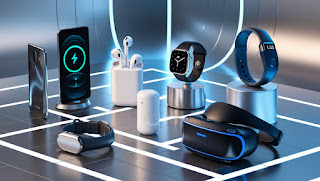
Here are some of the best tech gadgets that are popular and useful across different categories


 Here are some of the best tech gadgets that are popular and useful across different categories 

1. Smartphones

  • Apple iPhone 14 Pro/Pro Max: Known for its powerful performance, high-quality camera system, and seamless integration with other Apple devices, the iPhone 14 Pro series is a top choice for smartphone users.
  • Samsung Galaxy S23 Ultra: Featuring a large, vibrant display, an advanced camera system with high zoom capabilities, and a powerful processor, the Galaxy S23 Ultra is a great option for Android enthusiasts.

2. Laptops

  • Apple MacBook Air (M2, 2023): The MacBook Air with Apple's M2 chip offers excellent performance, a sleek design, and long battery life, making it perfect for students, professionals, and casual users.
  • Dell XPS 13 (2023): Renowned for its compact design, stunning display, and robust performance, the XPS 13 is one of the best Windows laptops available.

3. Smartwatches

  • Apple Watch Series 8: With its comprehensive health and fitness tracking features, seamless integration with iOS devices, and new temperature sensor for cycle tracking, the Apple Watch Series 8 is the best smartwatch for iPhone users.
  • Samsung Galaxy Watch 6: Offering robust fitness tracking, a vibrant display, and compatibility with Android devices, the Galaxy Watch 6 is a top choice for Android users.

4. True Wireless Earbuds

  • Sony WF-1000XM5: Known for its industry-leading noise cancellation, superb sound quality, and long battery life, the Sony WF-1000XM5 is one of the best wireless earbuds on the market.
  • Apple AirPods Pro (2nd Generation): With improved sound quality, active noise cancellation, and seamless connectivity with Apple devices, the AirPods Pro (2nd Gen) are a great choice for iOS users.

5. Tablets

  • Apple iPad Pro (2023): Featuring a powerful M2 chip, a stunning Liquid Retina display, and support for the Apple Pencil 2, the iPad Pro is the best tablet for creative professionals and power users.
  • Samsung Galaxy Tab S9 Ultra: With a large AMOLED display, excellent performance, and S Pen support, the Galaxy Tab S9 Ultra is ideal for Android users looking for a versatile tablet.

6. Smart Home Devices

  • Amazon Echo (4th Generation): With improved sound quality, a built-in smart home hub, and integration with Alexa, the Amazon Echo is an excellent choice for those looking to create a smart home ecosystem.
  • Google Nest Hub (2nd Generation): This smart display offers Google Assistant integration, sleep tracking, and controls for compatible smart home devices, making it a great addition to any smart home.

7. Gaming Consoles

  • PlayStation 5: Sony's latest console offers impressive graphics, fast load times, and a growing library of exclusive games, making it a top choice for gamers.
  • Xbox Series X: Known for its powerful hardware, backward compatibility, and Xbox Game Pass subscription service, the Xbox Series X is a great option for gamers looking for value and performance.

8. Fitness Trackers

  • Fitbit Charge 5: With features like heart rate monitoring, GPS tracking, and sleep analysis, the Fitbit Charge 5 is a great choice for those looking to track their fitness and health.
  • Garmin Vivosmart 5: Ideal for outdoor enthusiasts, the Vivosmart 5 offers advanced fitness tracking features, long battery life, and a durable design.

9. Portable Chargers

  • Anker PowerCore 10000: Compact, lightweight, and powerful, the Anker PowerCore 10000 can charge most smartphones multiple times and is a great travel companion.
  • Zendure SuperTank Pro: With a massive capacity, multiple output ports, and fast charging capabilities, the SuperTank Pro is ideal for charging multiple devices on the go.

10. E-Readers

  • Amazon Kindle Paperwhite (11th Generation): With a high-resolution display, adjustable warm light, and long battery life, the Kindle Paperwhite is the best e-reader for avid readers.
  • Kobo Clara HD: Offering a similar reading experience to the Kindle with support for more file formats and OverDrive integration for borrowing library books, the Kobo Clara HD is a great alternative.

Friday, 24 February 2017

Coordinate Syatem !


A method of representing points in a space of given dimensions by coordinates from an origin.
Coordinate Transformations
A coordinate transformation is a conversion from one system to another, to describe the same space. With every bijection from the space to itself two coordinate transformations can be associated:
1).such that the new coordinates of the image of each point are the same as the old coordinates of the original point (the formulas for the mapping are the inverse of those for the coordinate transformation).
2).such that the old coordinates of the image of each point are the same as the new coordinates of the original point (the formulas for the mapping are the same as those for the coordinate transformation).
For example, in 1D, if the mapping is a translation of 3 to the right, the first moves the origin from 0 to 3, so that the coordinate of each point becomes 3 less, while the second moves the origin from 0 to -3, so that the coordinate of each point becomes 3 more.
2D Coordinate Systems
  §  Cartesian coordinate system
  §  Polar coordinate system
  §  Parabolic coordinate system
  §  Bipolar coordinates
  §  Hyperbolic coordinates
  §  Elliptic coordinates
3D Coordinate Systems
  §  Cartesian coordinate system
  §  Cylindrical coordinate system
  §  Spherical coordinate system
  §  Parabolic coordinate system
  §  Parabolic cylindrical coordinates
  §  Paraboloidal coordinates
  §  Oblate spheroidal coordinates
  §  Prolate spheroidal coordinates
  §  Ellipsoidal coordinates

Resolution !

Refers to the sharpness and clarity of an image. The term is most often used to describe monitors, printers, and bit-mapped graphic images. In the case of dot-matrix and laser printers, the resolution indicates the number of dots per inch. For example, a 300-dpi (dots per inch) printer is one that is capable of printing 300 distinct dots in a line 1 inch long. This means it can print 90,000 dots per square inch.
For graphics monitors, the screen resolution signifies the number of dots (pixels) on the entire screen. For example, a 640-by-480 pixel screen is capable of displaying 640 distinct dots on each of 480 lines, or about 300,000 pixels. This translates into different dpi measurements depending on the size of the screen. For example, a 15-inch VGA monitor (640x480) displays about 50 dots per inch.
Printers, monitors, scanners, and other I/O devices are often classified as high resolution, medium resolution, or low resolution. The actual resolution ranges for each of these grades is constantly shifting as the technology improves.
The basic building block of any graphic image is a pixel, a contraction of "Picture Element", arranged in precise rows and columns. The number of rows and columns of pixels is referred to as the "resolution" of the image and is usually expressed by the number of horizontal pixels (rows) multiplied by the number of vertical pixels (columns), for example: 800*600, 1024*768, 1152*864. Note that these resolutions are sized at a 4:3 ratio. The reason for this is that monitors are manufactured with a 4:3 aspect ratio, therefore for a pixel to appear square it must appear at the same 4:3 width to height aspect ratio.
However, the resolution alone defines nothing except the physical size of the image. Each of these resolutions also has an associated "bit depth", which defines the number of colors that can be displayed. The bit depth refers to how many bits of data are associated with each pixel and are available to store a colour value. A 24 bit image, commonly referred to as "true colour", allows for the storage of 24 bits of data per pixel. To clarify the measurement, there are of course 8 bits in every byte. This raises the question of how colors are defined.

Homogeneous Coordinates Syatem !

One of the many purposes of using homogeneous coordinates is to capture the concept of infinity. In the Euclidean coordinate system, infinity is something that does not exist. Mathematicians have discovered that many geometric concepts and computations can be greatly simplified if the concept of infinity is used. This will become very clear when we move to curves and surfaces design. Without the use of homogeneous coordinates system, it would be difficult to design certain classes of very useful curves and surfaces in computer graphics and computer-aided design.
Let us consider two real numbers, a and w, and compute the value of a/w. Let us hold the value of a fixed and vary the value of w. As w getting smaller, the value of a/w is getting larger. If w approaches zero, a/w approaches to infinity! Thus, to capture the concept of infinity, we use two numbers a and w to represent a value v, v=a/w. If w is not zero, the value is exactly a/w. Otherwise, we identify the infinite value with (a,0). Therefore, the concept of infinity can be represented with a number pair like (a, w) or as a quotient a/w.
Let us apply this to the xy-coordinate plane. If we replace x and y with x/w and y/w, a function f(x,y)=0 becomes f(x/w,y/w)=0. If function f(x,y) = 0 is a polynomial, multiplying it with wn will clear all denominators, where n is the degree of the polynomial.
For example, suppose we have a line Ax + By + C = 0. Replacing x and y with x/w and y/w yields A(x/w) + B(y/w) + C = 0. Multiplying by w changes it to
Ax + By + Cw = 0.
Let the given equation be a second degree polynomial Ax2 + 2Bxy + Cy2 + 2Dx + 2Ey + F = 0. After replacing x and y with x/w and y/w and multiplying the result with w2, we have
Ax2 + 2Bxy + Cy2 + 2Dxw + 2Eyw + Fw2 = 0
If you look at these two polynomials carefully, you will see that the degrees of all terms are equal. In the case of a line, terms x, y and w are of degree one, while in the second degree polynomial, all terms (i.e., x2, xy, y2, xw, yw and w2) are of degree two.
Given a polynomial of degree n, after introducing w, all terms are of degree n. Consequently, these polynomials are called homogeneous polynomials and the coordinates (x,y,w) the homogeneous coordinates.
Given a degree n polynomial in a homogeneous coordinate system, dividing the polynomial with wn and replacing x/w, y/w with x and y, respectively, will convert the polynomial back to a conventional one. For example, if the given degree 3 homogeneous polynomial is the following:
x3 + 3xy2 - 5y2w + 10w3 = 0
the result is
x3 + 3xy2 - 5y2 + 10 = 0
This works for three-dimension as well. One can replace a point (x, y, z) with (x/w, y/w, z/w) and multiply the result by w raised to certain power. The resulting polynomial is a homogeneous one. Converting a degree n homogeneous polynomial in x, y, z and w back to the conventional form is exactly identical to the two-variable case.
Note
Converting from a homogeneous coordinates to a conventional one is unique; but, converting a conventional coordinates to a homogeneous one is not.

A Simple Geometric Interpretation
Given a homogeneous coordinate (x,y,w) of a point in the xy-plane, let us consider (x,y,w) to be a point in space whose coordinate values are x, y and w for the x-, y- and w- axes, respectively. The line joining this point and the coordinate origin intersects the plane w = 1 at a point (x/w, y/w, 1). Please verify this fact yourself. The following figure illustrates this concept.

This transformation treats a two-dimensional homogeneous point as a point in three-dimensional space and projects (from the coordinate origin) this three-dimensional point to the plane w=1. Therefore, as a homogeneous point moves on a curve defined by homogeneous polynomial f(x,y,w)=0, its corresponding point moves in three-dimensional space, which, in turn, is projected to the plane w=1. Of course, (x/w,y/w) moves on a curve in plane w=1.
The above figure also shows clearly that while the conversion from the conventional Euclidean coordinates to homogeneous coordinates is unique, the opposite direction is not because all points on the line joining the origin and (x,y,w) will be projected to (x/w,y/w,1).

Scan Conversion ! (Details form book ROY PLASTOCK)

Scan conversion or scan rate converting is a technique for changing the vertical / horizontal scan frequency of video signal for different purposes and applications. The device which performs this conversion is called scan converter. The application of scan conversion is wide and covers video projectors, cinema equipment , TV and video capture cards, standard and HDTV televisions, LCD monitors and many different aspects of picture and video processing.
Scan conversion process, not only needs to make changes in synchronization (sync) frequencies, changes in picture information data rate are also mandatory in most cases. There are two distinct methods for doing the process:
1).Analog Methods (Non retentive, memory-less or real time method)
This conversion is done using large numbers of delay cells and is appropriate for analog video.
2).Digital methods (Retentive or buffered method)
In this methods , picture is stored in a line or frame buffer with n1 speed (data rate) and is read with n2 speed, several picture processing techniques are applicable when the picture is stored in buffer memory including kinds of interpolation from simple to smart high order comparisons, motion detection and … to improve the picture quality and prevent the conversion artifacts.


Input Device - Trackball !

A trackball is a pointing device consisting of a ball held by a socket containing sensors to detect a rotation of the ball about two axes—like an upside-down mouse with an exposed protruding ball. The user rolls the ball with the thumb, fingers, or the palm of the hand to move a cursor. Large tracker balls are common on CAD workstations for easy precision. Before the advent of the touchpad, small trackballs were common on portable computers, where there may be no desk space on which to run a mouse. Some small thumbballs clip onto the side of the keyboard and have integral buttons with the same function as mouse buttons. The trackball was invented by Tom Cranston and Fred Longstaff as part of the Royal Canadian Navy's DATAR system in 1952, eleven years before the mouse was invented. This first trackball used a Canadian five-pin bowling ball.
When mice still used a mechanical design (with slotted 'chopper' wheels interrupting a beam of light to measure rotation), trackballs had the advantage of being in contact with the user's hand, which is generally cleaner than the desk or mousepad and doesn't drag lint into the chopper wheels. The late 1990s replacement of mouseballs by direct optical tracking put trackballs at a disadvantage and forced them to retreat into niches where their distinctive merits remained more important. Most trackballs now have direct optical tracking which follows dots on the ball.

As with modern mice, most trackballs now have an auxiliary device primarily intended for scrolling. Some have a scroll wheel like most mice, but the most common type is a “scroll ring” which is spun around the ball. Kensington's SlimBlade Trackball similarly tracks the ball itself in three dimensions for scrolling.

Input Device - Joystick !

A joystick is an input device consisting of a stick that pivots on a base and reports its angle or direction to the device it is controlling. Joysticks are often used to control video games, and usually have one or more push-buttons whose state can also be read by the computer. A popular variation of the joystick used on modern video game consoles is the analog stick.
The joystick has been the principal flight control in the cockpit of many aircraft, particularly military fast jets, where centre stick or side-stick location may be employed.

Joysticks are also used for controlling machines such as cranes, trucks, underwater unmanned vehicles and zero turning radius lawn mowers. Miniature finger-operated joysticks have been adopted as input devices for smaller electronic equipment such as mobile phone.